Start with pages that search engines can reach and people can trust. Fix blocked pages, missing answers and stale facts before paying for new AI tools. For Google AI Overviews and AI Mode, the first job is still sound SEO. Other AI search tools have their own rules, so check each one on its own terms.
The useful question is not “How do we make the whole site AI-ready?” It is “What stops our most useful pages from being found and understood?” That gives your team a clear place to start.
First, choose the pages that matter
Pick a small set of pages that help people make a real choice. Start with your main services, key locations and the page that explains how to take the next step.
Use search data, website visits and the questions your team receives to choose them. A busy page is worth a look. So is a quiet page that explains an important service.
For each page, write down the question it should answer. For example: “Can I use this service, what does it include, and how do I apply?” This is a sample question, not a keyword to repeat in every heading.
Fix access before adding more content
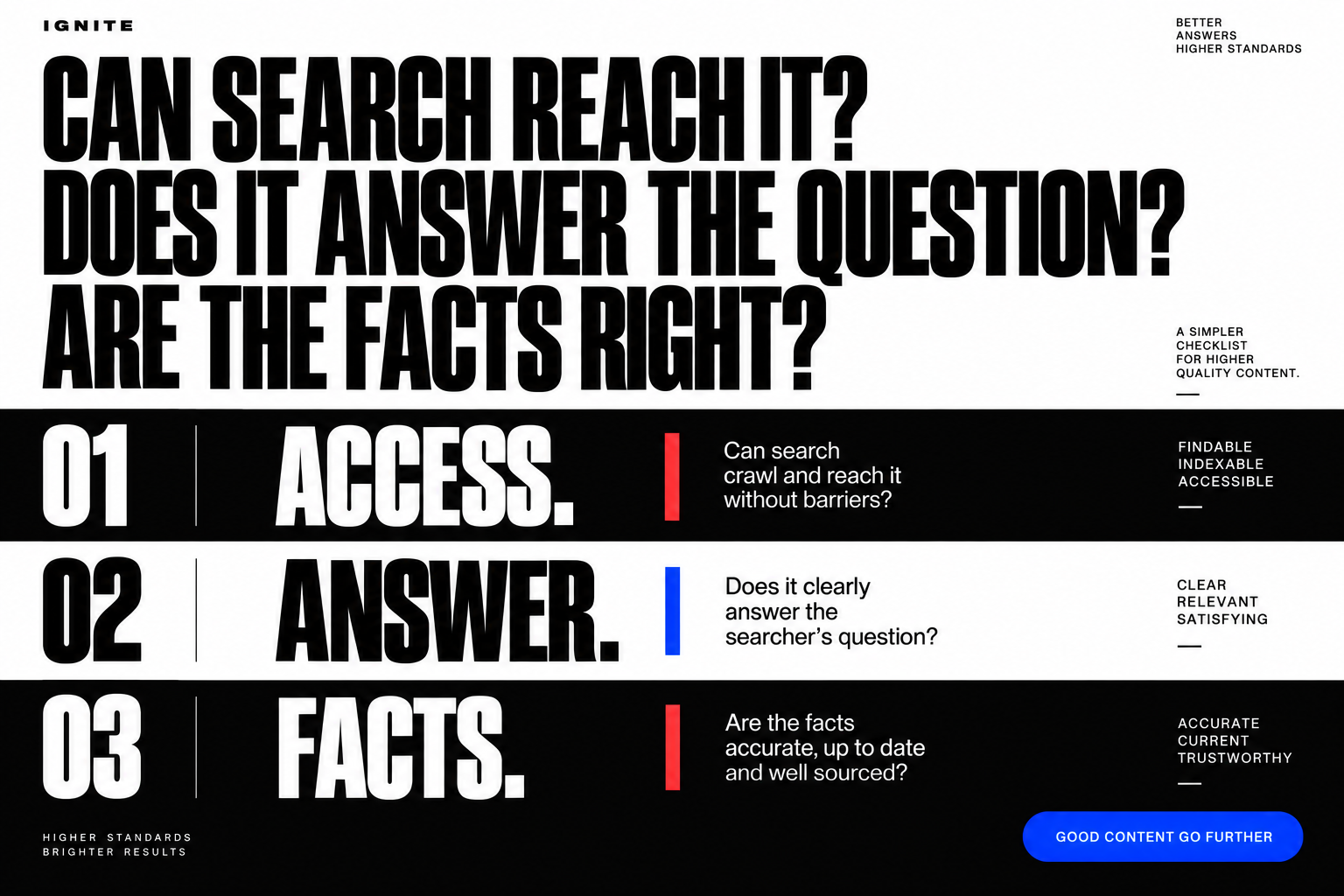
A clear page cannot help search users if a search engine cannot reach it.
Ask your web team to check whether each key page loads, allows search access and can be found through links on your site. They should also check that the page has not been marked to stay out of search by mistake.
Google's guide to AI features says a page must be indexed and able to appear in Search with a snippet. There are no extra technical requirements for AI Overviews or AI Mode. Meeting those rules does not mean Google will choose your page.
- If the page is blocked by mistake, fix the block first.
- If no useful page links to it, add a clear path from a related page.
- If key facts only appear in an image, add them as page text.
- If you do not know whether Google can index it, ask for a Search Console check.
Do not open private content to search tools. These checks are for pages you intend to make public.
Give each page an answer worth finding
Once access is sound, check the page itself. Can a new visitor work out what you offer, who it is for and what to do next?
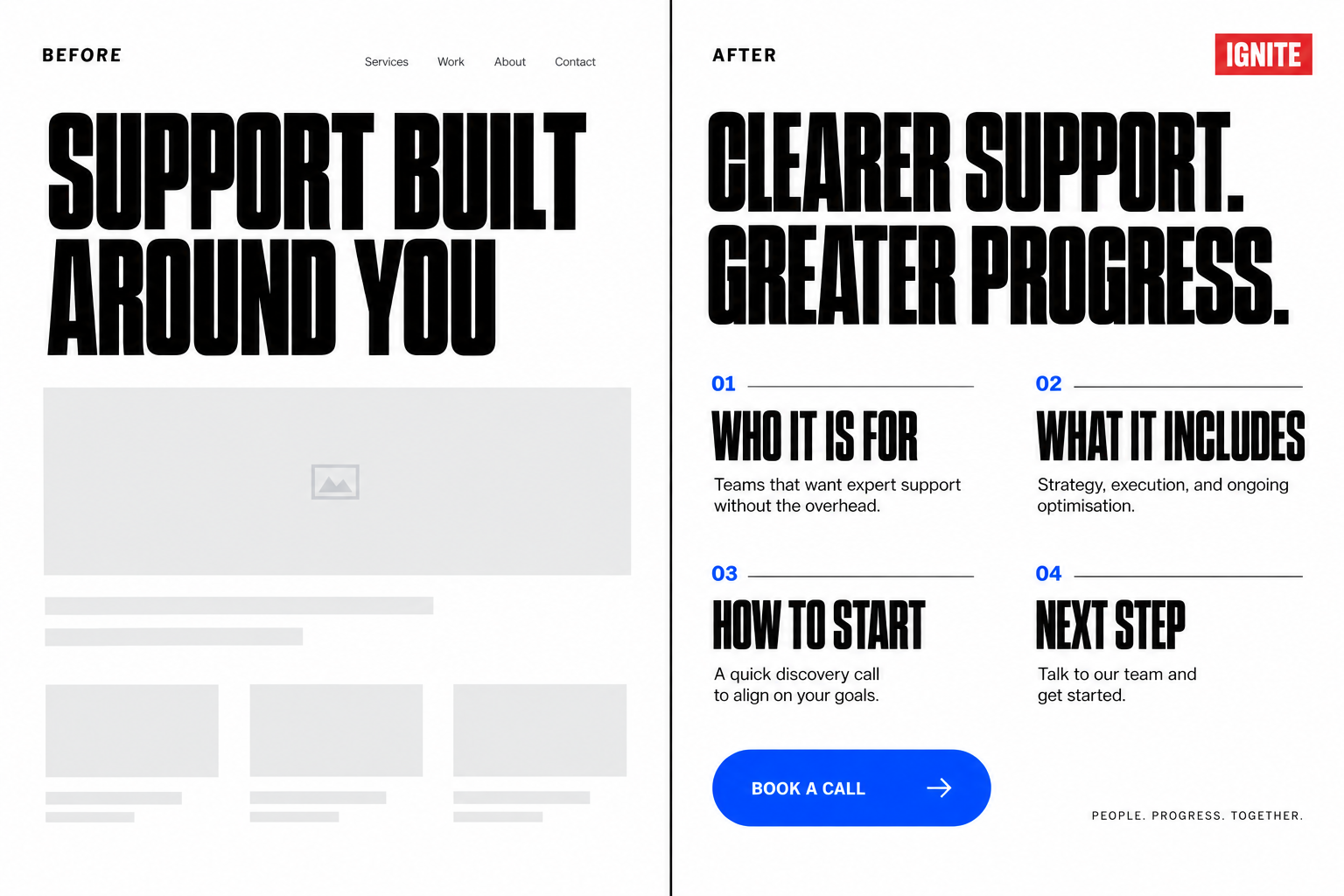
Imagine a service page that says “Support built around you” but gives no area, entry rules or process. More search markup will not supply those missing facts.
A stronger page would state who can use the service, where it runs, what it includes and how to start. Where a detail varies, explain what it depends on. Link to the source or next step rather than making the reader hunt.
Keep headings clear. Answer the main question near the top. Use short lists for steps or choices, and keep important details in text.
Fix the missing answer before you add another tool.
Check that the facts agree
Your contact page, service page and footer should not give three versions of the same fact.
Check names, locations, service details and contact options. Then ask your developer to check any structured data. This is code that helps search engines understand what a page describes.
Google says that structured data should match the text people can see. Adding code is not a substitute for fixing the page.
Give each key page a fact owner and a review date. Our guide to keeping a website accurate after launch explains how to make that part of normal site care.
Ask what an AI add-on will actually fix
Before buying an audit, plugin or package, ask for the problem it solves. Which pages are affected? What will change? How will the team check the fix?
A file called llms.txt is not a requirement for Google's AI features. Nor does Google require special AI markup. Treat claims about other platforms as separate claims that need their own evidence.
Buy a clear fix, not a promise of AI mentions. A useful scope names the work, its owner and how it will be tested. It should not promise that an AI system will cite your site.
This is also how we recommend approaching a wider website review. Start with an issue you can show, then choose the right design, content or development work. Our website capabilities show how those parts fit together.
Measure progress without guessing
Record the pages you changed and the date. Check that the technical fixes work. Then watch search traffic and useful actions, such as enquiries, over time.
Google includes AI-feature traffic in Search Console's Web search report. Do not label every rise in that report an AI win.
A test prompt can show what one tool returned at one moment. It is not proof of a lasting result. Keep a technical fix and a business outcome separate in your report.
Your next step: a short fix list
- Choose the key pages and the questions they must answer.
- Check search access and links to each page.
- Fill gaps and correct facts in the visible content.
- Check the code, then assign owners and review dates.
- Record the changes, test them and watch useful outcomes.
If you are unsure where to start, talk to IGNITE about the pages you need people to find. We can help you work out which website issues need attention first, and which need input from your content or SEO team.